CDW Disk in Openshift
This article describes the steps to deploy and scale the direct attached disk(s) in each Openshift worker node for CDW by using the Local Storage Operator in Openshift platform.
Please note that the sizing of the direct attached disk for CDW illustrated in this demo does not match the production requirements. For production requirements, please refer to this link.
- TOC
Deploy CDW Disk in Openshift
-
Install the
Local Storage Operatorbased on the published procedure in this link. -
In Openshift dashboard, navigate to
Operators>Installed Operators>Local Storage Operator>All Instances. ClickCreate New>Local Volume.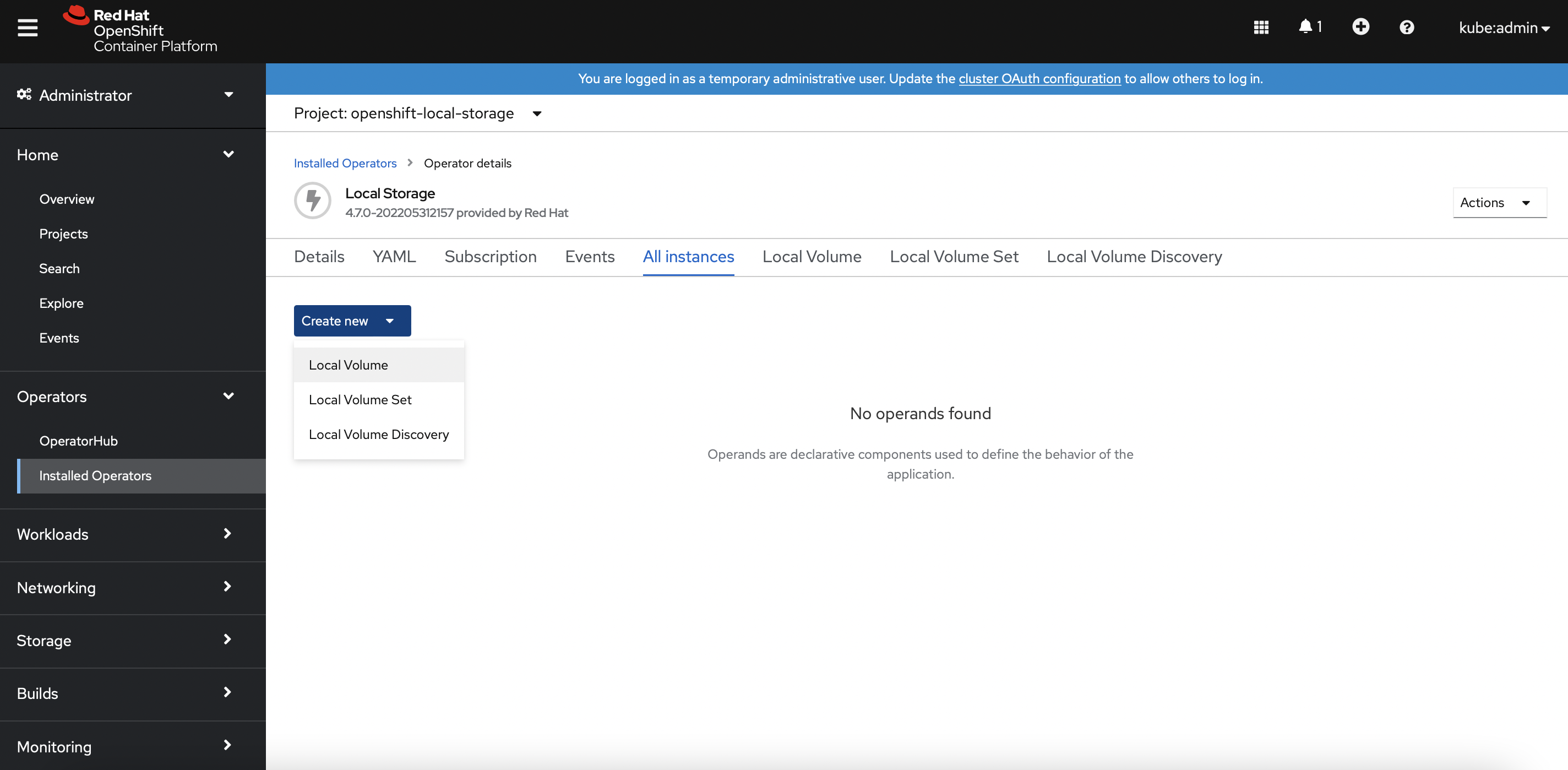
-
Enter the fields based on the identical device path of the direct attached disk for each Openshift worker node. In this demo, the device path is
/dev/vdc.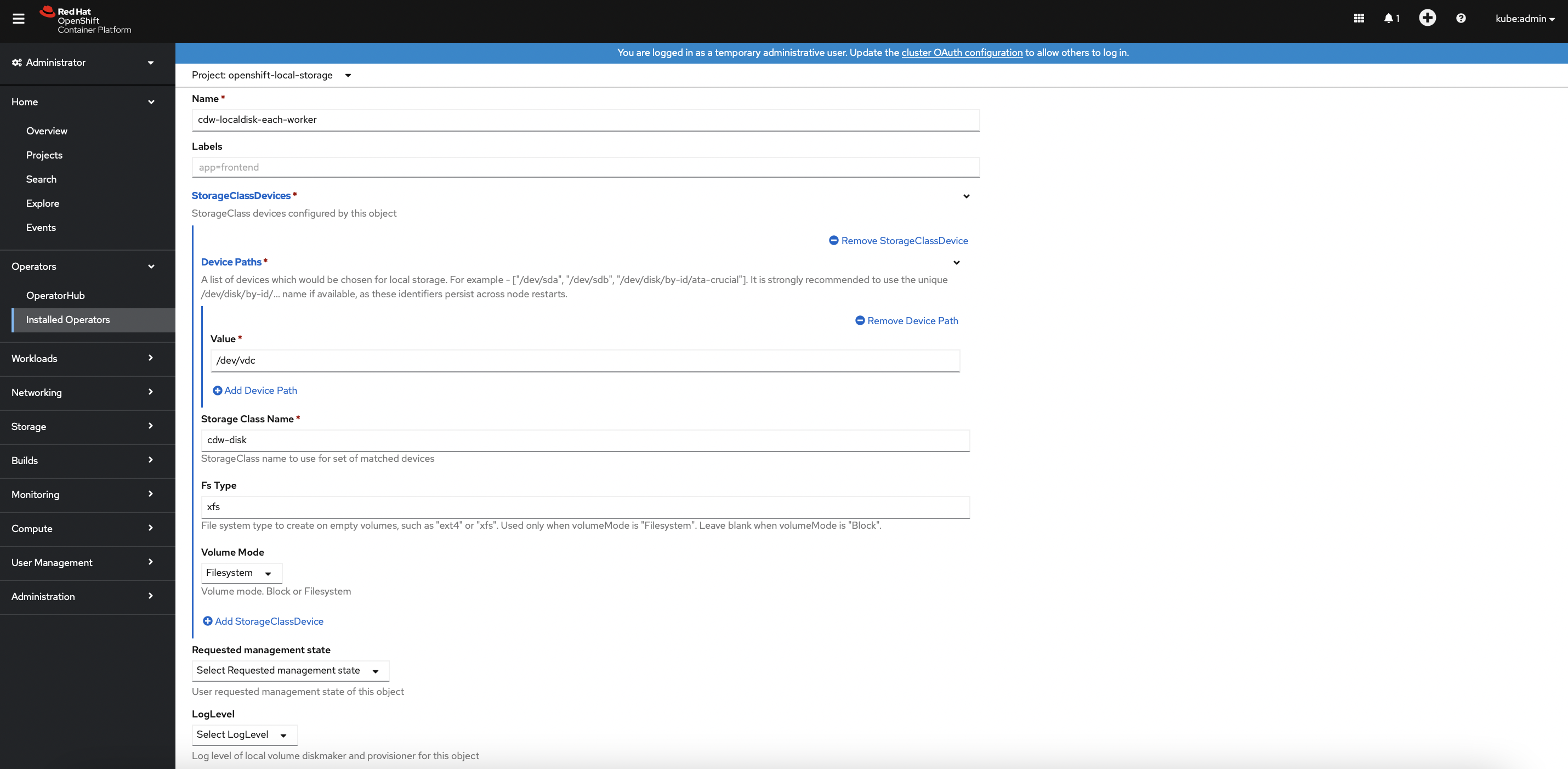
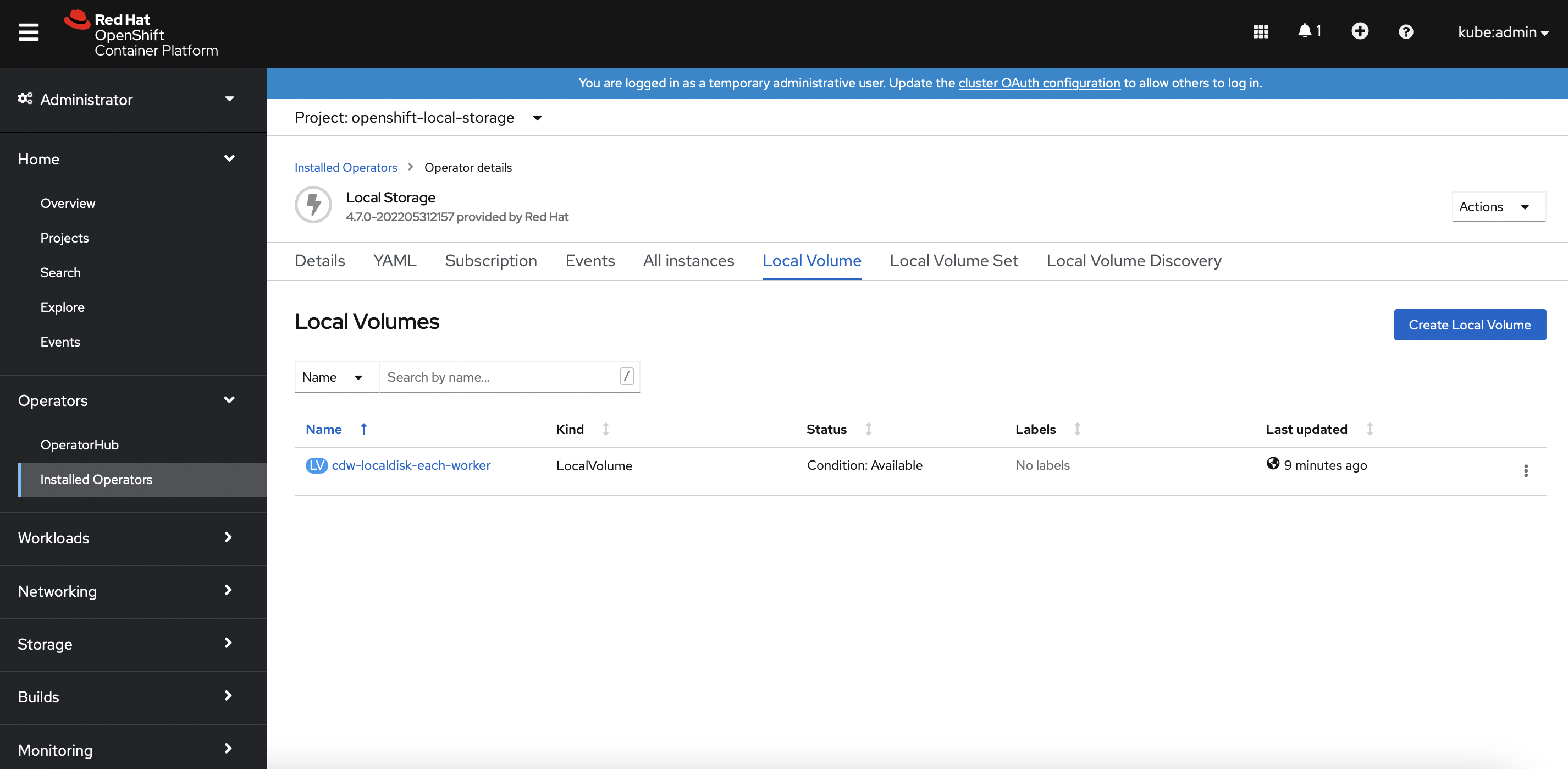
-
Successful implementation will produce the following local persistent volumes automatically. In this demo, each Openshift worker node has a single 400Gi direct attached SSD.
[root@ocpbastion ~]# oc get pv | head -1; oc get pv | grep local NAME CAPACITY ACCESS MODES RECLAIM POLICY STATUS CLAIM STORAGECLASS REASON AGE local-pv-12e7ab5 400Gi RWO Delete Available cdw-disk 2m33s local-pv-17bf8fbc 300Gi RWO Delete Bound openshift-storage/ocs-deviceset-vdb-0-data-2slfmj vdb 24h local-pv-33a6a00a 400Gi RWO Delete Available cdw-disk 2m34s local-pv-62cdcca 300Gi RWO Delete Bound openshift-storage/ocs-deviceset-vdb-0-data-06dblw vdb 24h local-pv-abb1e063 400Gi RWO Delete Available cdw-disk 2m34s local-pv-aca516bf 300Gi RWO Delete Bound openshift-storage/ocs-deviceset-vdb-0-data-1t74g8 vdb 24h -
Successful implememtation also creates a new storageClass
cdw-diskready to be consumed by CDW.[root@ocpbastion ~]# oc get sc | head -1; oc get sc | grep cdw NAME PROVISIONER RECLAIMPOLICY VOLUMEBINDINGMODE ALLOWVOLUMEEXPANSION AGE cdw-disk kubernetes.io/no-provisioner Delete WaitForFirstConsumer false 2m9s
Scale CDW Disk in Openshift
-
A new 200Gi disk has been added in each Openshift worker node and the device path is
/dev/vdd. -
In Openshift dashboard, navigate to
Operators>Installed Operators>Local Storage Operator>All Instances>cdw-localdisk-each-worker>YAML. Edit the YAML file by adding- /dev/vddunder thedevicePathscategory. ClickSavebutton.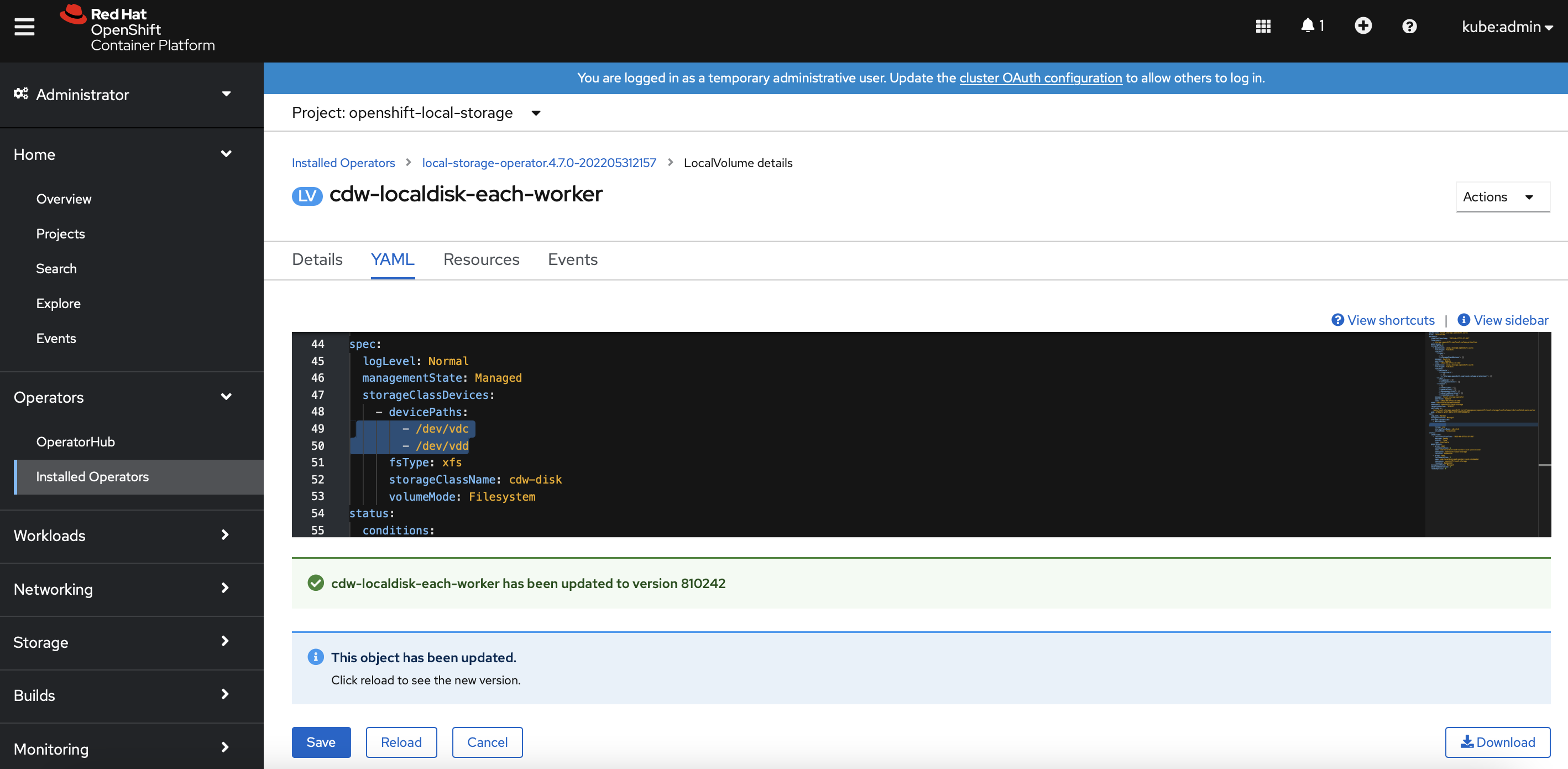
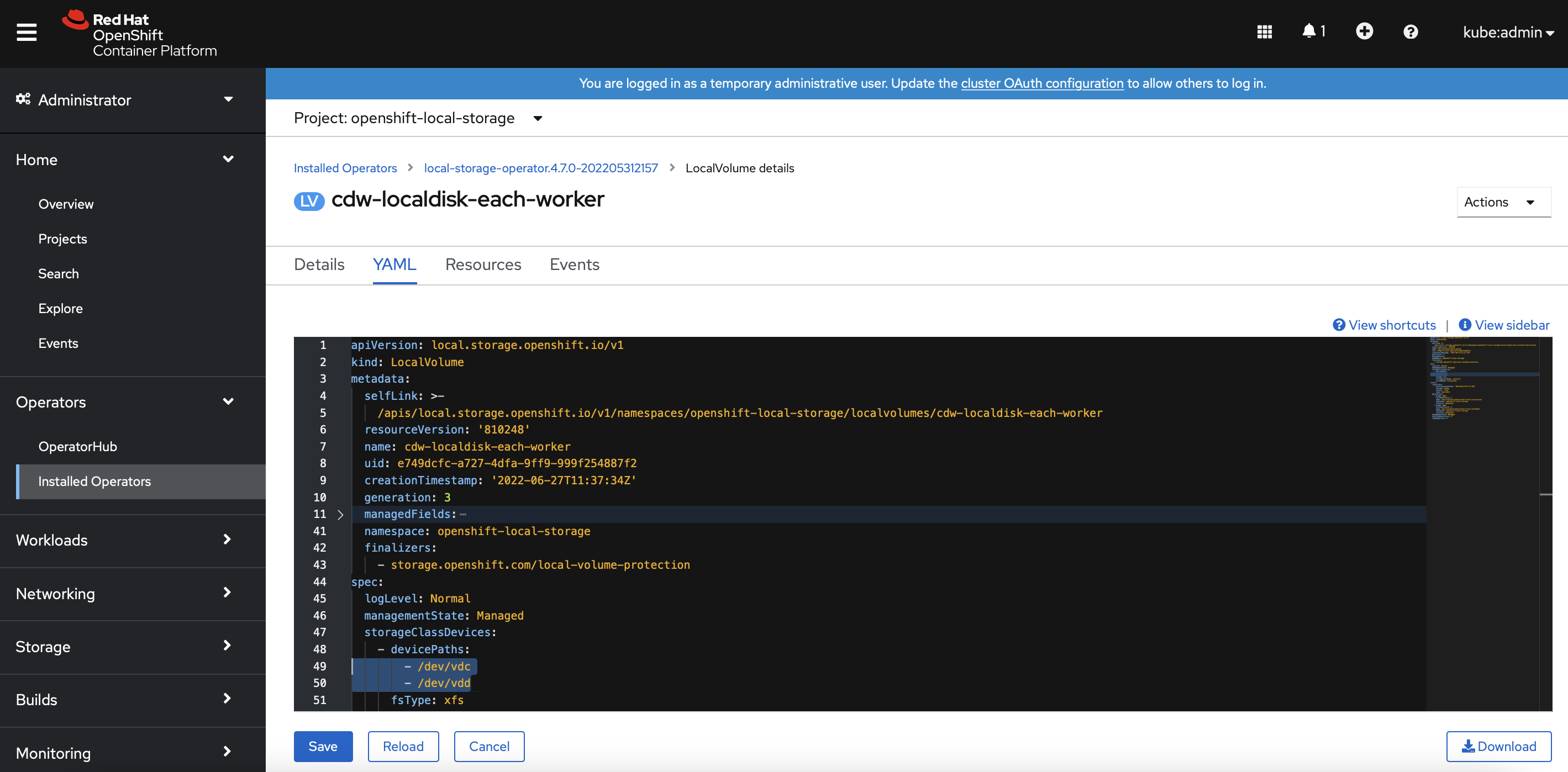
-
Successful implementation will produce the new local persistent volumes with 200Gi SSD automatically.
[root@ocpbastion ~]# oc get pv | head -1; oc get pv | grep local
NAME                                       CAPACITY   ACCESS MODES   RECLAIM POLICY   STATUS      CLAIM                                                                                          STORAGECLASS                  REASON   AGE
local-pv-12e7ab5                           400Gi      RWO            Delete           Available                                                                                                cdw-disk                               5m59s
local-pv-17bf8fbc                          300Gi      RWO            Delete           Bound       openshift-storage/ocs-deviceset-vdb-0-data-2slfmj                                            vdb                                    25h
local-pv-33a6a00a                          400Gi      RWO            Delete           Available                                                                                                cdw-disk                              6m40s
local-pv-62cdcca                           300Gi      RWO            Delete           Bound       openshift-storage/ocs-deviceset-vdb-0-data-06dblw                                            vdb                                    25h
local-pv-abb1e063                          400Gi      RWO            Delete           Available                                                                                                cdw-disk                               6m10s
local-pv-aca516bf                          300Gi      RWO            Delete           Bound       openshift-storage/ocs-deviceset-vdb-0-data-1t74g8                                            vdb                                    25h
local-pv-c8fe6eea                          200Gi      RWO            Delete           Available                                                                                                cdw-disk                               85s
local-pv-d30bd8ac                          200Gi      RWO            Delete           Available                                                                                                cdw-disk                               77s
local-pv-dc533915                          200Gi      RWO            Delete           Available                                                                                                cdw-disk                               66s